
Product
One surface for capture, polish, and delivery.
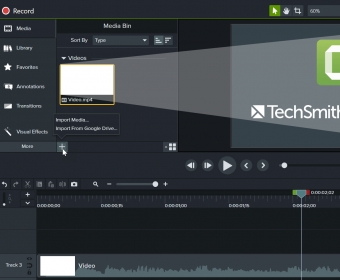
Camtasia combines screen recording with a timeline editor built for explainers, training modules, and support clips—without forcing you into a full NLE learning curve.
Built for teams who teach.
Onboarding, customer education, internal training, and creator tutorials share the same needs: readable UI capture, clear audio, and exports that match your host. Camtasia is built around that loop.
Capture
Display + camera
Frame the story once; refine on the timeline.
Edit
Annotations & pacing
Callouts, zooms, and speed changes that read on laptops.
Ship
Repeatable exports
Presets and templates that scale across a quarter.


Lifecycle
From blank timeline to signed-off module.
Teams that rarely miss deadlines tend to use the same four gates—small enough to remember, strict enough to catch problems before export.
-
01 — Plan
Script or outline
One learning outcome per video. Note B-roll and callout beats before you hit record.
-
02 — Capture
Stable signal
Fix resolution, mic gain, and capture region once; avoid “fix it in post” for sync and noise.
-
03 — Edit
Pacing first
Rough cut, then audio polish, then annotations—so motion matches finalized dialog.
-
04 — Verify
Export QA
Spot-check captions, first frame, and host upload on a laptop speaker—not only studio headphones.
Reality
Three questions teams ask in week one.
Short answers here; expanded write-ups live on the home FAQ and in the blog when the answer needs screenshots or step order.
- Is this only for “perfect” recordings?
- No—most teaching video is “good enough” acquisition plus disciplined cleanup. The goal is repeatable intelligibility, not studio film.
- Do we standardize on one export preset?
- Usually two: one for your LMS or help center, one for social or Slack previews. Name them after the destination, not the codec string.
- Where do we send stuck editors?
- Start with the topic finder on Resources, then the article that matches the symptom.