
Blog / Guide
Camtasia vs free screen recorders
The honest answer is situational. Free tools can be perfect for capture. Camtasia earns its place when editing, consistency, and teaching polish are the bottleneck—not the record button.
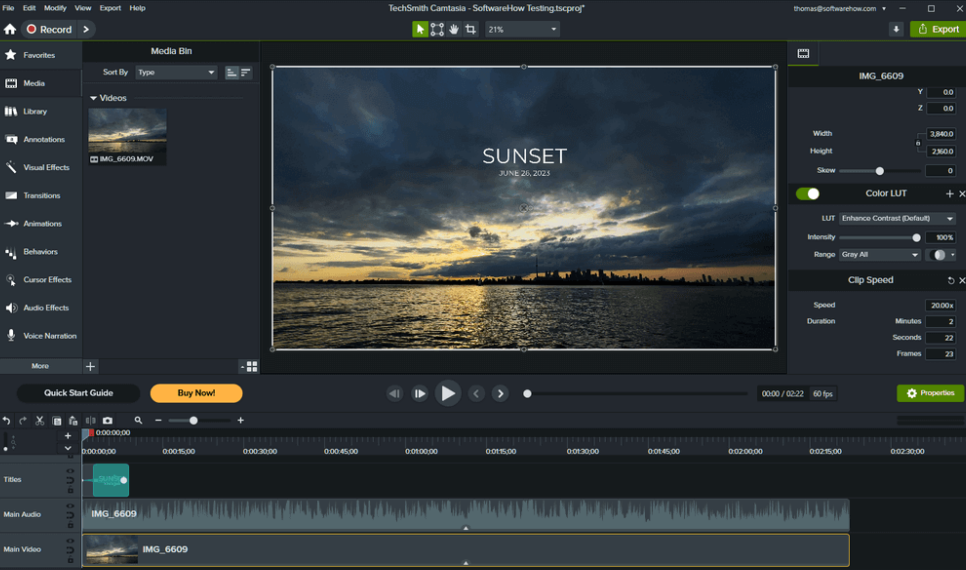
When free recorders win
Choose a free path when you need flexible capture graphs, streaming pipelines, or quick one-off clips that won’t be edited heavily. If your workflow ends at “upload raw,” paying for an editor may not change your outcome.
When Camtasia wins
Camtasia tends to pay off when you ship the same kind of video repeatedly: lessons, release notes, support demos, and sales walkthroughs. The value is in reusable templates, fast captioning workflows, predictable exports, and an annotation toolkit designed for clarity—not spectacle.
Decision matrix (simple)
| If your priority is… | Lean toward… |
|---|---|
| Live streaming | Specialized streaming tools |
| Fast teaching edits | Camtasia-style editor |
| Team template consistency | Camtasia-style editor + libraries |
| Zero budget, one-off clip | Free recorder |
Total cost thinking
Compare software price to hourly labor. If a tool saves four hours per month for someone paid to produce video, the ROI math is usually not close—especially across a team where templates multiply savings.
A hybrid workflow many teams use
Capture with the tool that fits the environment, edit in Camtasia for consistency, export with a preset tuned to your LMS or video host. The capture/edit split is not a compromise—it’s specialization.